
"Remember Me" token Key Takeaways
A "Remember Me" token is a small piece of data stored on your device by a website after you check the "Remember Me" box during login.
- A "Remember Me" token is essentially a persistent session cookie that keeps you logged in even after closing your browser.
- Clearing these tokens across browsers, apps, and devices is a critical step to prevent unauthorized account access.
- Best practices include token expiration policies, regular cookie cleanup, and using password managers to auto-fill credentials instead.
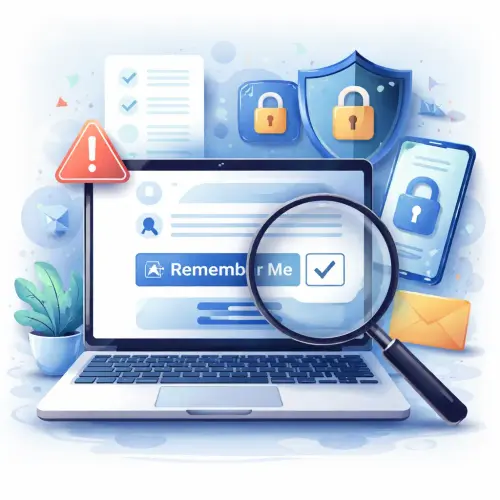
What Is a “Remember Me” Token and How Does It Work?
When you log into a website and check the “Remember Me” token box, the server creates a unique identifier — often a long encrypted string — and stores it on your device, typically as a browser cookie. Unlike standard session cookies that vanish the moment you close your browser, this token remains active for days, weeks, or even months depending on the site’s settings.
On your next visit, the website reads the token, validates it against its database, and automatically logs you in without requiring your password. This convenience is why e-commerce stores, social media platforms, and banking portals all offer the “Remember Me” token feature. However, the same persistence that makes it convenient also creates a security blind spot.
Security Risks of Keeping a “Remember Me” Token
If an attacker gains access to your device — whether through theft, malware, or an unlocked screen — they can use your “Remember Me” token to impersonate you. They won’t need your password; the token is all that’s required. Below are the most common threats associated with neglecting to clear Remember Me token data.
Session Hijacking Without Login Credentials
A stolen token enables full session hijacking. The attacker can browse your account, perform actions, and even change settings without ever knowing your password. This is particularly dangerous for financial accounts or email services where password reset emails can be intercepted. For a related guide, see 4 Easy Steps to Change Your Email or Phone Number on Mega8888.
Persistent Access After Device Is Lost or Shared
If you use a shared computer at a library, office, or friend’s house and check the “Remember Me” box, the next user can access your accounts. Even a brief walk away from a locked workstation can be enough for a curious coworker to exploit an active token.
Cross-Device Token Propagation
Many services sync “Remember Me” token data across browsers and devices via cloud accounts. If a token is compromised on one device, it can be replicated to others. Clearing tokens on every device where you’ve ever logged in is essential to containing a potential breach. For a related guide, see 7 Smart Ways to Stay Logged In Across Multiple Devices.
4 Smart Steps to Clear “Remember Me” Tokens for Enhanced Security
Clearing “Remember Me” token data requires a systematic approach. Below are the four best steps to remove these tokens from browsers, mobile apps, and system-level storage.
Step 1: Clear Browser Cookies and Site Data
Most “Remember Me” token data is stored as persistent cookies. Follow these instructions for major browsers on desktop and mobile:
- Chrome: Go to Settings > Privacy and Security > Clear browsing data. Select “All time,” check “Cookies and other site data,” and click “Clear data.”
- Firefox: Go to Options > Privacy and Security > Cookies and Site Data > Clear Data. Check “Cookies and Site Data” and click “Clear.”
- Safari: Go to Safari > Preferences > Privacy > Manage Website Data. Click “Remove All.”
- Edge: Go to Settings > Privacy, search, and services > Clear browsing data. Choose “Cookies and other site data” and click “Clear now.”
After clearing cookies, restart the browser to ensure all tokens are flushed from memory. This step effectively clears Remember Me token data for every site you’ve visited.
Step 2: Log Out of Websites Manually
Cookie deletion alone may not invalidate tokens stored on the server side. Visit each important website — especially banking, email, social media, and shopping sites — and manually log out. Many services provide a “Log out of all devices” option in account settings. This forces the server to revoke your “Remember Me” token.
Step 3: Clear Token Data in Mobile Apps
Mobile apps often store “Remember Me” token data in app-specific storage that standard browser cookie cleanup won’t touch. To clear these:
- iOS: Go to Settings > General > iPhone Storage. Select the app and tap “Delete App.” Reinstall it fresh. Alternatively, log out from within the app’s settings.
- Android: Go to Settings > Apps > [App Name] > Storage > Clear Data. This removes token files from the app’s private storage.
Step 4: Use a Token Manager or Security Extension
Dedicated browser extensions like Clean Master or Cookie AutoDelete can automatically remove “Remember Me” token data after you close a tab or browser window. For maximum security, configure your browser to block third-party cookies and clear all cookies on exit. This ensures no token persists beyond your current session.
Best Practices for “Remember Me” Token Security
Even if you regularly clear Remember Me token data, adopting proactive habits reduces risk:
- Use password managers like LastPass or Bitwarden that auto-fill credentials. You never need to check “Remember Me.”
- Enable two-factor authentication (2FA) on all accounts. Even with a stolen token, an attacker can’t log in without the second factor.
- Set token expiration policies in your own web applications (if you’re a developer). Limit token validity to 30 days or less.
- Disable “Remember Me” on shared or public devices. Always opt to log in fresh and log out completely.
What to Do If Your Token Is Stolen
If you suspect a “Remember Me” token has been compromised, act immediately:
- Change the password for every account where you used “Remember Me.”
- Revoke active sessions — most services include a “Sign out everywhere” link in security settings.
- Run full antivirus and anti-malware scans on your device.
- Review recent account activity for unauthorized logins or changes.
Useful Resources
For deeper reading on session management and token security, see these authoritative sources:
- OWASP Session Management Cheat Sheet — comprehensive guidelines for secure token creation and storage.
- Electronic Frontier Foundation — Privacy Badger — a browser extension that automatically learns to block invisible trackers and persistent tokens.
Understanding and managing your “Remember Me” token is a simple but powerful way to protect your digital identity. By following the four steps above and adopting the best practices, you can enjoy the convenience of persistent logins without compromising your security.
Frequently Asked Questions About and quot;Remember Me and quot; token
Does clearing cookies remove my and quot;Remember Me and quot; token?
Yes, in most cases clearing browser cookies will remove the persistent cookie that stores the “Remember Me” token. However, the server may still recognize the token if it’s stored in a mobile app or synced via cloud.
Can websites detect that I cleared my and quot;Remember Me and quot; token?
Not directly. When you clear tokens, the cookie is deleted locally. The website simply no longer receives the token, so it treats you as a new visitor and asks for login.
Is it safe to use and quot;Remember Me and quot; on personal devices?
Generally yes, if the device has strong passcode protection, encryption enabled, and you’re the sole user. But even then, malware can steal tokens, so periodic clear Remember Me token actions are recommended.
What’s the difference between a session cookie and a and quot;Remember Me and quot; token?
A session cookie expires when you close the browser. A “Remember Me” token is a persistent cookie with a far-future expiration date that keeps you logged in across sessions.
How long does a typical and quot;Remember Me and quot; token last?
Most services set token expiration between 30 days and one year. Some enforce shorter durations for sensitive accounts. Always check the site’s privacy or security policy for specifics.
Can I have multiple active and quot;Remember Me and quot; tokens on different devices?
Yes, each device you check “Remember Me” on receives its own token. A token stolen from one device does not automatically compromise others, but an attacker could use it to access your account from that device.
Does incognito or private browsing prevent and quot;Remember Me and quot; tokens from being saved?
Yes, incognito modes do not store persistent cookies, so any “Remember Me” token is discarded when you close the private window.
Is it possible to extract a and quot;Remember Me and quot; token from my browser manually?
Advanced users can view cookie contents via browser developer tools, but modern tokens are encrypted. Extracting a usable token typically requires specialized hacking tools and physical or malware access.
Does a website know that I’m using the same token across multiple logins?
Yes, the server associates your token with your account. Each time you return with the same token, the site recognizes you as the same user who originally checked “Remember Me.”
How does two-factor authentication interact with and quot;Remember Me and quot; tokens?
With 2FA enabled, even if an attacker steals your “Remember Me” token, they cannot log in without also providing the second factor (e.g., a one-time code). It’s the strongest countermeasure.
Can I clear tokens for just one website without affecting others?
Yes. In Chrome, go to Settings > Privacy and Security > Site Settings > Cookies and site data > See all cookies and site data. Search for the domain and delete its cookies only.
What if I use a public computer and forget to clear tokens?
If possible, reset your password immediately from a secure device — this invalidates all active tokens server-side. Then ask the public computer’s administrator to clear browser history.
Do all websites use the same kind of and quot;Remember Me and quot; token?
No. Implementation varies widely. Some use a simple identifier in a cookie; others use encrypted JSON Web Tokens (JWTs) with embedded expiration and signature verification.
Can I automate the process of clearing tokens on multiple devices?
Yes, using browser automation tools like Selenium or Puppeteer, you can script login and token cleanup across many profiles. For most users, manual steps are safer and sufficient. For a related guide, see Account Suspended for Suspicious Activity? 5 Essential Next Steps.
Does using a VPN protect my and quot;Remember Me and quot; token from theft?
A VPN encrypts your internet traffic, making it harder for attackers to intercept tokens in transit. However, it does nothing to prevent token theft from the device itself.
What is a and quot;super cookie and quot; related to and quot;Remember Me and quot; tokens?
A super cookie is a difficult-to-delete identifier stored at the ISP or network level, not by the browser. It is distinct from standard “Remember Me” tokens and requires different removal methods.
Should I clear tokens before selling or recycling my device?
Absolutely. Before wiping your device, log out of all accounts manually, then perform a factory reset. This ensures no “Remember Me” token survives on that hardware.
Does clearing browser history also clear tokens?
Clearing history alone does not remove cookies. You must explicitly select the option to clear cookies and other site data alongside history.
What happens if I clear tokens while logged into a website?
You will be logged out immediately from that website on that browser. The server still holds your session if you have other active tabs, but the next request will fail authentication.
Is storing and quot;Remember Me and quot; tokens on a mobile device riskier than on a desktop?
Mobile devices are often lost or stolen, and many users don’t enable encryption. Additionally, mobile apps may not log out users as aggressively. The risk is higher, so regular clear Remember Me token routines are even more important.